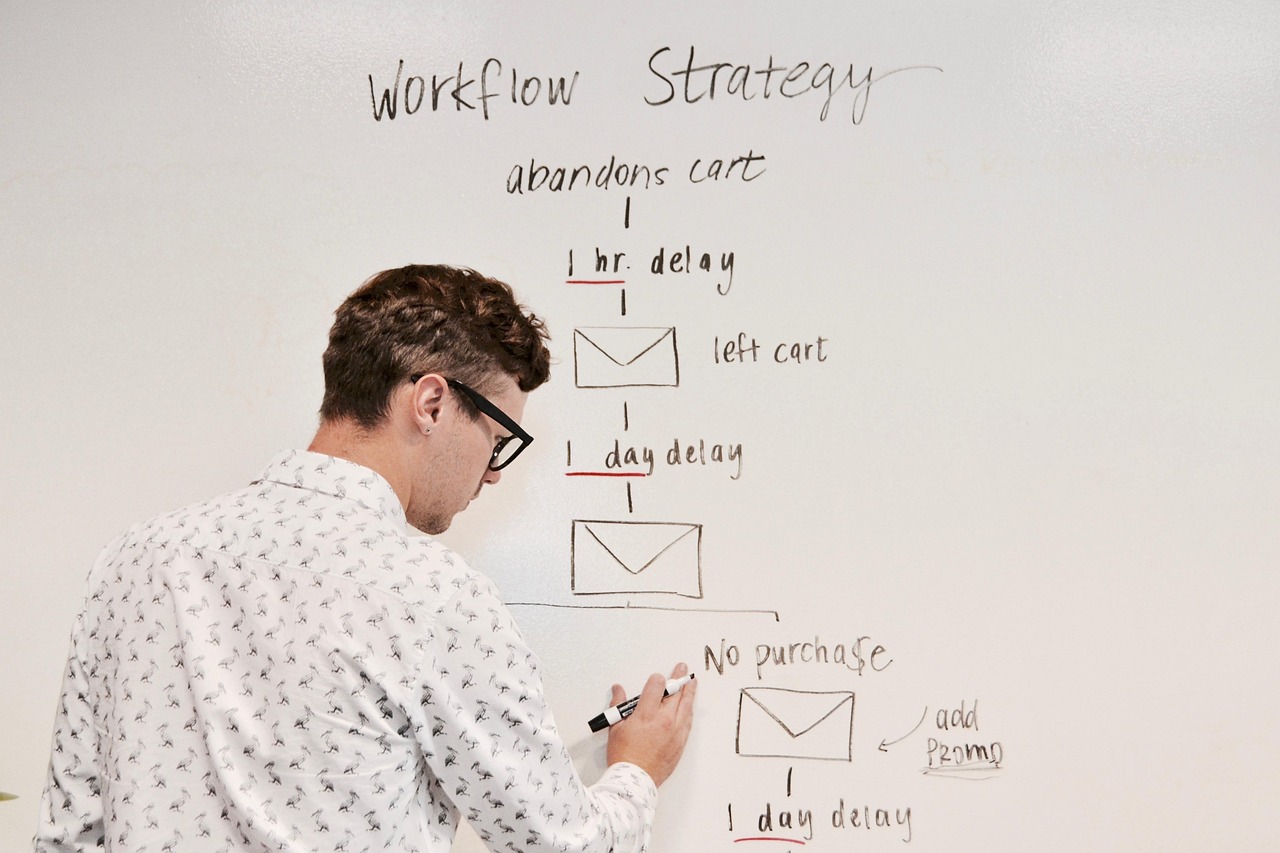
- A consulting firm cut administrative time from 3+ hours to 1.2 hours daily per consultant using AI workflow automation.
- Billable utilization jumped significantly, increasing revenue per consultant substantially — with a total monthly tool cost less than one billable hour.
- Meeting documentation, email management, and client reporting are the three highest-ROI targets. Start there.
Key Takeaways
- Meeting documentation, email management, and client reporting are the three highest-ROI automation targets for professional services businesses.
- AI doesn't replace the relationship — it removes administrative friction so your team can focus on what clients are actually paying for.
- The tool cost is minimal compared to the billable hours recovered. Most implementations pay for themselves within the first month.
- The audit comes first — you can't automate what you haven't mapped.
When a consulting firm ran a time-tracking audit, the result was stark: highly paid consultants were spending more than three hours daily on administrative tasks — meeting notes, CRM updates, client emails, status reports. At their billing rates, that inefficiency was costing the firm hundreds of thousands annually in lost revenue. Not because anyone was working badly. Because nobody had systematized the repetitive parts. This is the kind of problem AI modernization strategy is built to solve. For practical help, explore our business and digital consulting.
Where is a professional services firm losing the most billable time?
Almost always in three places: meeting documentation, email management, and client reporting. These are pattern-based, repetitive tasks that consume hours of expert time daily — work that doesn't require expertise but gets done by the people who have it.
A time-tracking audit across a typical consulting team reveals that only 40% of paid hours are spent on actual consulting work. The rest is administration, documentation, and internal communication. At premium billing rates, that gap represents substantial annual revenue sitting on the table.
How does AI automate meeting documentation?
AI meeting assistants join calls, transcribe in real time, generate structured summaries with action items, and push those items directly into project management tools — automatically. What used to take 30 minutes post-meeting takes seconds.
- Meeting notes go from 30 minutes of manual work to automatic generation
- Action items are automatically extracted and added to project management tools
- Client preferences and key decisions are logged in the CRM automatically
- Associates recover multiple hours per week that previously went to post-meeting documentation
Can AI handle client email at the quality level professional services demands?
With the right setup, yes. AI reads the incoming email context, personalizes a response template, and produces a draft that feels custom-written — in seconds rather than minutes. The employee reviews and sends.
We built AI-powered email templates that read incoming context and personalize automatically. It feels custom-written but takes 30 seconds instead of 10 minutes.
The key is creating a library of templates that encode your firm's voice and common response patterns. The AI handles the personalization layer. The human handles review and anything genuinely non-standard.
The hours your team is losing to administrative work are recoverable. Find out exactly where the biggest opportunities are in your operation.
How do you automate client reporting without losing quality control?
By integrating project management tools with AI writing assistants. The system pulls data from active tasks, timelines, and deliverables, then generates reports in the client's preferred format. Human review before sending.
Proposals, contracts, and statements of work follow the same pattern. AI-powered document generators pull from the firm's knowledge base and previous successful documents, producing first drafts that need only minor customization.
What does a realistic AI workflow automation stack cost?
For most professional services firms, the tooling cost per person is less than one billable hour per month. Common stack components include AI meeting assistants like Fireflies.ai or Otter.ai, ChatGPT API integrations for email and document generation, and workflow automation tools like Zapier to connect the pieces.
The payback period is typically measured in days, not months. When billable utilization moves from 40% to 70%+ and client satisfaction improves through faster response times and better documentation, the ROI case isn't complicated.
What are the key lessons from implementing this at scale?
The transformation doesn't happen overnight. Expect to spend time identifying workflows, testing tools, and refining processes. But the payoff is immediate once the foundation is in place. Three rules that hold:
- Focus on repetitive, pattern-based tasks where AI genuinely excels
- Keep humans focused on strategy, relationships, and creative problem-solving
- Measure time recovered, not just cost saved — recovered time is deployable revenue
What tasks should be automated first?
Start with meeting documentation, email management, and status reporting — these are pattern-based, time-consuming tasks where AI excels and ROI appears quickly.
How long does workflow automation take to implement?
Expect 4–8 weeks to identify workflows, test tools, and refine processes. Initial wins from meeting automation often appear within the first week.
Will AI automation reduce service quality?
No — client satisfaction typically improves due to faster response times and more consistent documentation. AI handles routine tasks; humans focus on relationships and strategy.
What's the ROI for service business automation?
Most implementations pay for themselves within the first month through recovered billable time. The compounding effect on annual revenue per consultant is significant.
How much does AI workflow automation cost?
Tool costs per person are typically less than one billable hour per month, using AI meeting assistants, document generation, and workflow automation tools like Zapier.
Stop paying expert rates for administrative work. The tools to automate your firm's administrative overhead exist, they're affordable, and they're proven. What takes time is knowing which ones fit your specific workflows. That's where we come in.